

Automate the NOC — without giving up control.
Most of what a NOC does at 3 a.m. is small, boring and repeatable. NOS is built to notice those patterns, act on them safely, and keep humans in the loop for anything that isn’t routine.
Operators of any size looking to reduce nightly ticket volume.
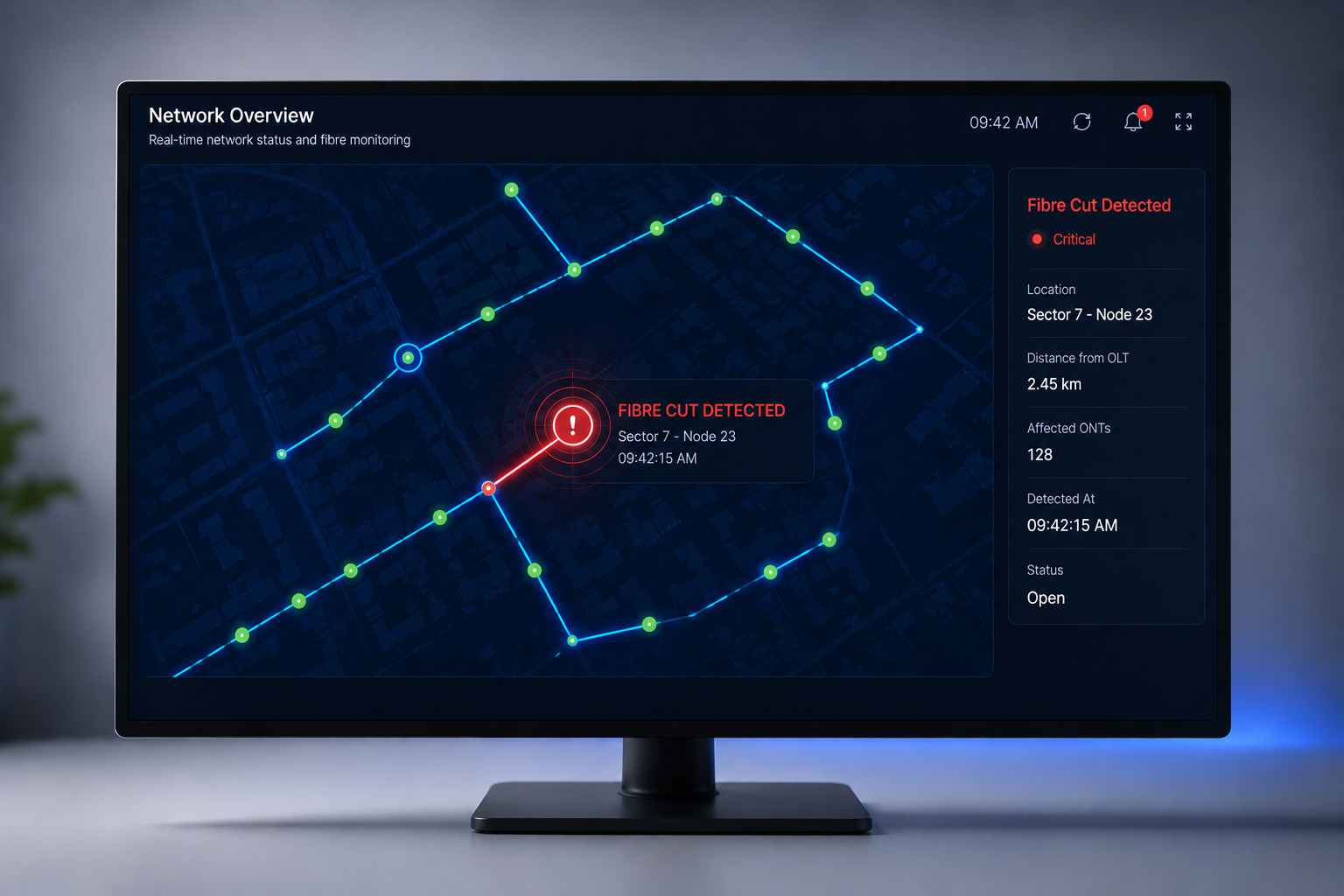
The first thing NOS does with an alarm is correlate it. Ten alarms from one root cause become one incident. The incident’s scope — subscribers, POPs, services affected — is worked out in seconds, not minutes.
The second thing it does is offer a fix. Where the fix is one from the safe library (restart, rebind, reroute), it acts and logs. Where it isn’t, it drafts what it would do and waits for a human.
The third thing it does is teach itself. Every fix that lands successfully strengthens the pattern; every fix a human rejects weakens it. You end up with a NOC that gets quieter, not louder, as it grows.
The paradox of the modern NOC is that it has more data than ever and less actionable insight than ever. Twelve dashboards across four tools. Ten thousand alarms per day, of which fifty need human attention. The engineer glazes over. Real incidents get lost in noise.
Netxol addresses this at the source: correlation on the shared graph. Because NMM, CRM and Billing reference the same subscriber, service and OLT-port identity, the platform can group alarms by shared cause without operator input. An OLT card failure surfaces as one incident with 800 affected subscribers named — not 800 separate alarms.
The AI Engine takes it a step further. Under your policy, closed-loop remediation runs the runbook automatically: identify the cause, apply the fix (from a curated action library), verify the recovery, and log the intervention with a full audit trail. See the AI Engine detail at /products/ai and the operational context at /products/modules/nmm.
The operational effect compounds. Fewer manual incidents means engineers work on the interesting problems. Faster resolution means SLA metrics improve. Better SLA means enterprise customers renew. Better renewals means more revenue against the same cost base.
Four moves.
De-duplicate and correlate
Every alarm rolls up to the incident it belongs to.
Root-cause in seconds
Cross-layer analysis across L1–L3 and services.
Safe auto-fix library
A curated library of playbooks that ship on day one — and grow.
Human in the loop
Every non-trivial action stops for approval — with the plan attached.
Enable topology-aware correlation
Alarms grouped by shared cause on the graph — 800 events become one incident.
Turn on closed-loop remediation
Under your policy, the AI Engine runs the runbook and logs the intervention.
Everything you get with this playbook.
Operators already running this play.


Questions we get on the first call.
How long does it take to go live?
Small deployments complete in under a week from unboxing the Core to first paying subscriber; larger rollouts scoped in weeks not months.
Do we need to change our existing hardware?
No. NOS ships adapters for every mainstream OLT and router. You keep the gear you own; we replace the tooling above it.
What happens to our data?
Everything stays on your Core appliance by default. Backups go to your object store of choice. No subscriber data leaves your rack unless you turn on an opt-in telemetry channel.
Can we migrate from another platform?
Yes — we run a scoped migration project with matching data mappings and cut-over windows. Standard editions include the first migration.
Other stories in this shape.
Ship an ONT to a subscriber. When they plug it in, NOS provisions it, binds it to their record, and lights up their plan — without a technician touching a config file.
ReadOutcomeA branded Subscriber App that pays the bill, runs a real speed test, opens a ticket and gives honest outage visibility — routing 40% of the calls your care team never has to take.
Read